Introduction
SnapMaster is a tool and framework for creating and running event-driven workflows.
Snaps
Snaps are definitions of event-driven workflows. Snaps have a trigger and a set of actions that are invoked when the trigger is fired.
Snaps don't do anything until they are activated. More on that later.
Snaps are described in YAML documents. They are named using an {account}/{name} format.
The snapmaster account contains a number of "starter" snaps - for example,
snapmaster/docker-slack. The Gallery contains a number of public snaps, including
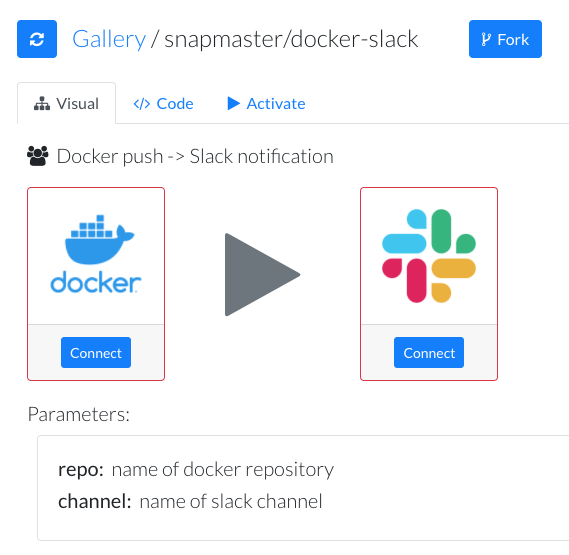
snapmaster/docker-slack, which has the following graphical representation:
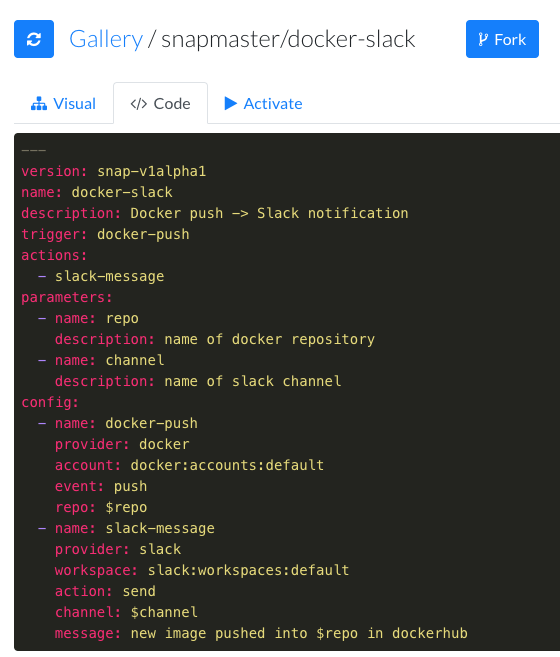
The snapmaster/docker-slack snap has the following YAML representation:
Parameters
Besides the trigger and actions, a snap can define parameters. These are passed
into the snap when it is activated, and make the snap reusable. The
snapmaster/docker-slack snap takes two parameters - the name of the docker repo, and
the name of the slack channel.
Config
The config section ties together the triggers and actions with their required arguments, and binds the input parameters into these arguments. A trigger will have an event that it is fired on, and an action will have an action that it will perform.
In the snapmaster/docker-slack example, the trigger is named docker-push, is provided
by the docker provider, takes the default account, is fired on the push event, and
takes its repo argument from the $repo parameter that was passed in.
Similarly, the slack-message action is provided by the slack provider, takes the
default workspace, uses the send action, takes the channel argument from the $channel
parameter passed in, and also parameterizes the message argument using the $repo
parameter.
See the snap reference for a complete description of the snap definition language.
Tools
Tools are a collection point for triggers, actions and a place to store credentials.
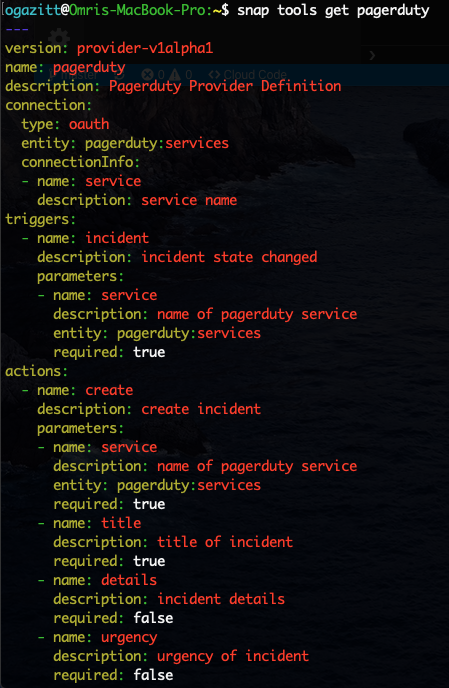
Tools are also described using a YAML specification. For example, the pagerduty tool
exposes both a trigger called incident which fires when a new PagerDuty incident is
created, as well as an action called create which will create a new incident.
Activating Snaps
Once all of the tools that a snap references are connected, a snap can be activated. This will create the webhook corresponding to the trigger, and when that webhook fires, the actions will be executed sequentially.
Next steps
Login to SnapMaster and activate your first snap!